- Hello
- Hi. I'm reading this from right under my camera.
- You can't tell, because my eyes never leave the lens.
- When I stop to think, the words wait for me.
- When I start again, so do they.
- The call
- And when I share my screen, nobody sees any of this.
- No second monitor. No index cards. No looking down.
Say anything, then go quiet.
Look at the lens. Read every word.
A teleprompter that hangs from your MacBook's notch, a finger's width below the camera. It scrolls while you talk, waits when you pause, and stays off the screen you share.
Email me the link
On your phone? We'll email you the link so you can buy and install it on your Mac.
Made for the Mac. Pay once, no subscription.
Scrolls at your pace, stops when you stop.
Vozlen listens to how loud the room is, not to what you say. Speak and the script glides up at your pace. Stop to breathe, think or take a question, and it eases to a halt on the line you were reading. No speech recognition, nothing leaves your Mac.
- Tuned to your room
- A sensitivity slider and a live level meter, so the fan or the street doesn't count as talking.
- Smooth on any display
- Starts and stops ease in like a hand on a scroll wheel. No jumps, no jitter.
- Or drive it yourself
- Turn voice off for a steady scroll, hover to pause, nudge with the trackpad.
Share your screen and keep your script to yourself.
The prompter is marked private to macOS, so screen sharing, screenshots and Vozlen's own recordings leave it out. You see your notes; your audience sees your slides.
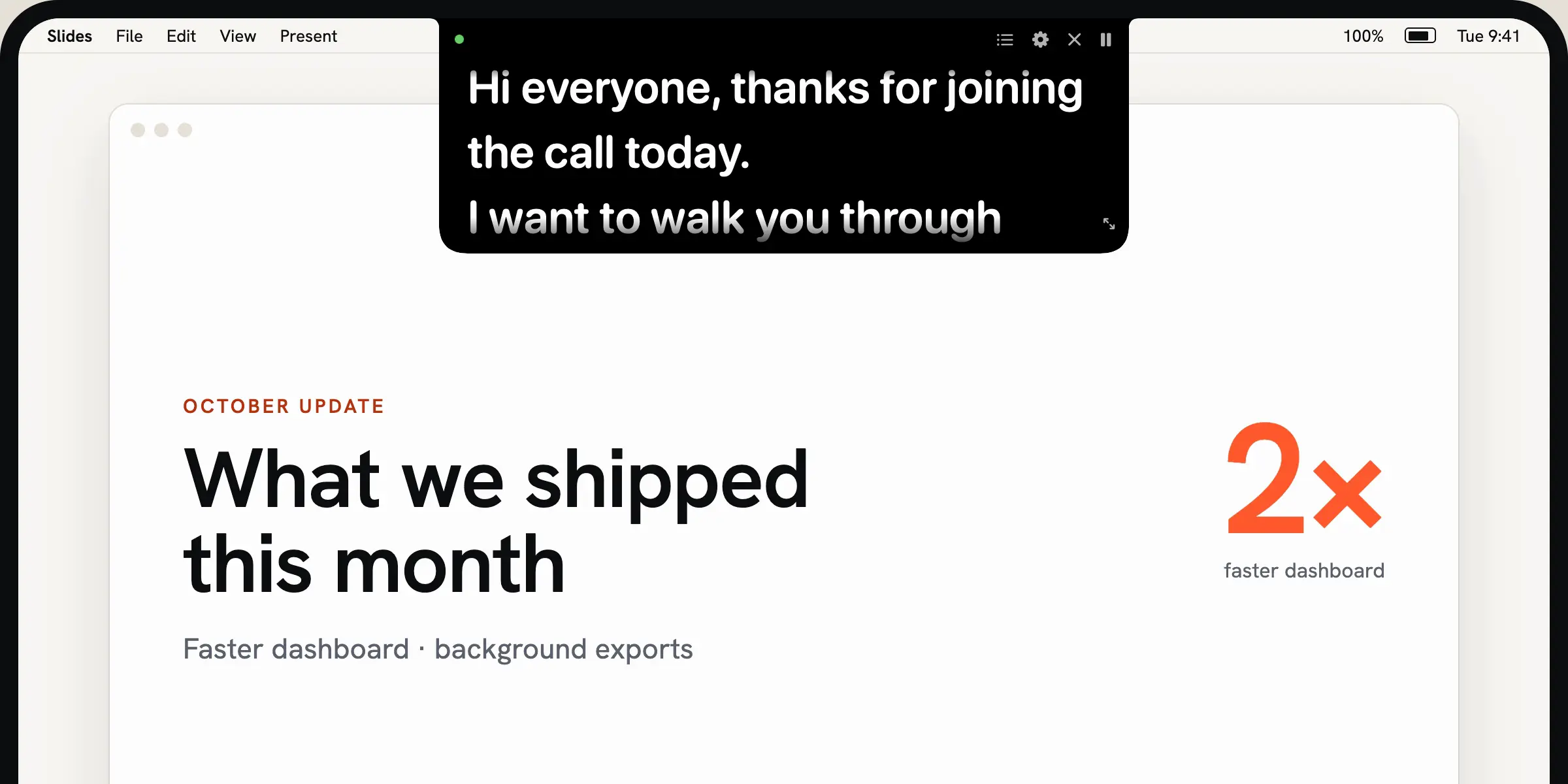
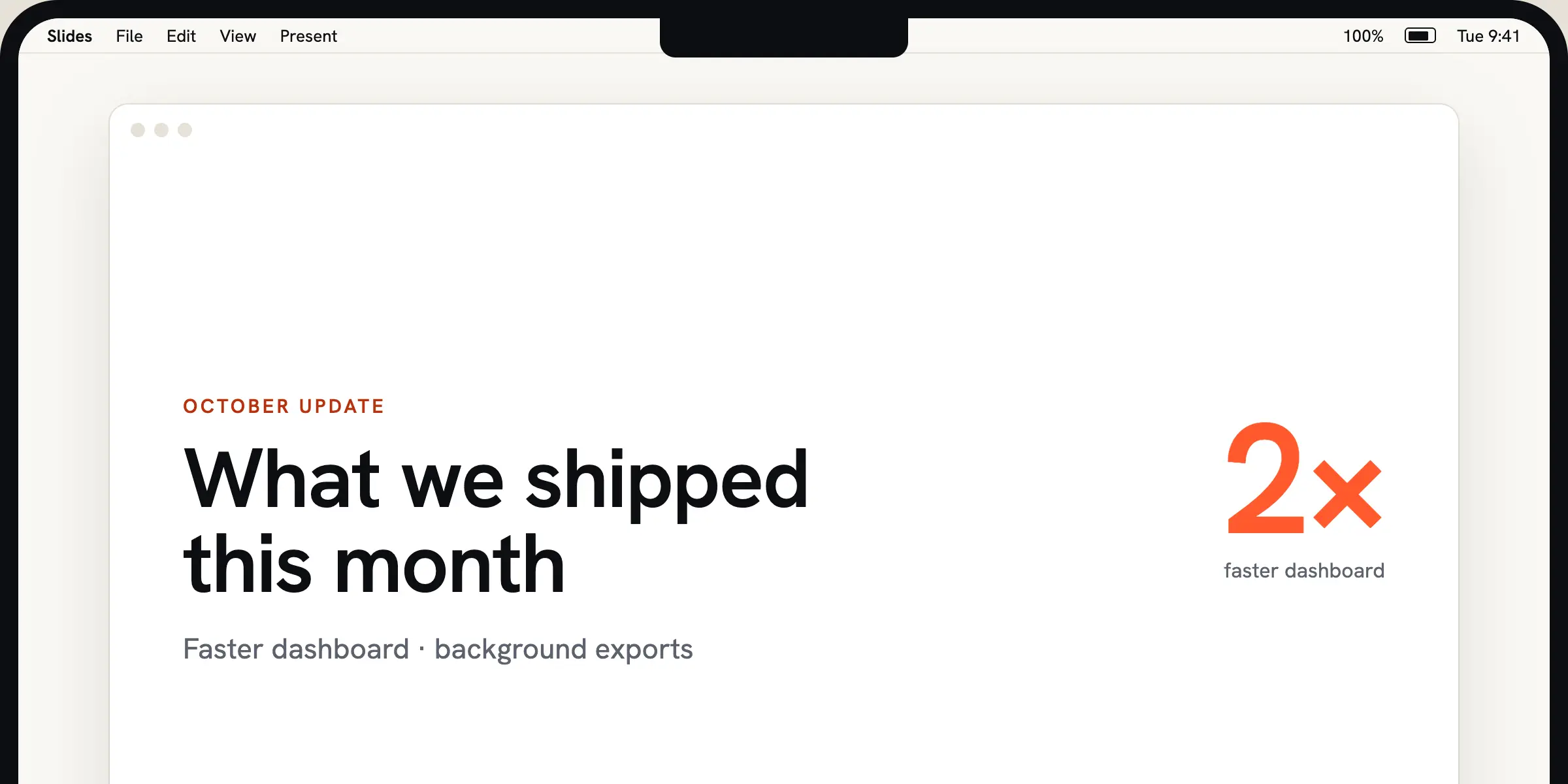
Always hidden from macOS screenshots and Vozlen's own recordings. Hidden from screen sharing in apps that respect the macOS privacy flag; a quick test share before a big call is worth it.
Built-in recording, with your face in a bubble.
Hit ⌃⌥R. You get a 3-2-1, your whole screen, your mic and a round camera bubble you can drag anywhere. The prompter keeps scrolling for you and never appears in the file. It lands in Movies as an .mp4, ready to send.
Jump to any part of the script.
Start a line with # and it becomes a cue. Someone asks about pricing three topics early? Press ⌃⌥3, answer, then ⌃⌥B takes you back to where you were.
- Opening⌃⌥1
- Thanks for joining. I'll keep this to ten minutes.
- Pricing⌃⌥2
- It's one payment. No seats, no renewals.
- Questions⌃⌥3
⌃⌥ B back to where you were
The rest of the kit
- Notch or floating
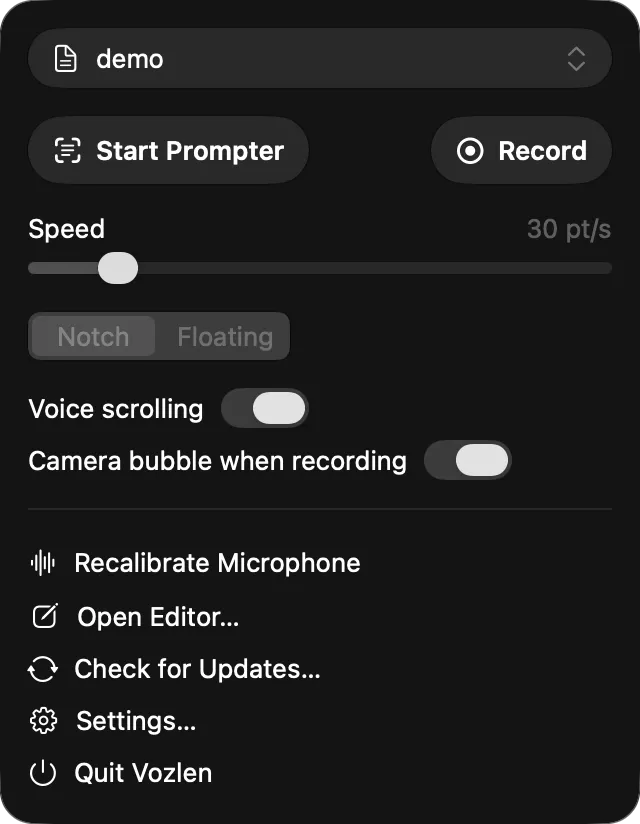
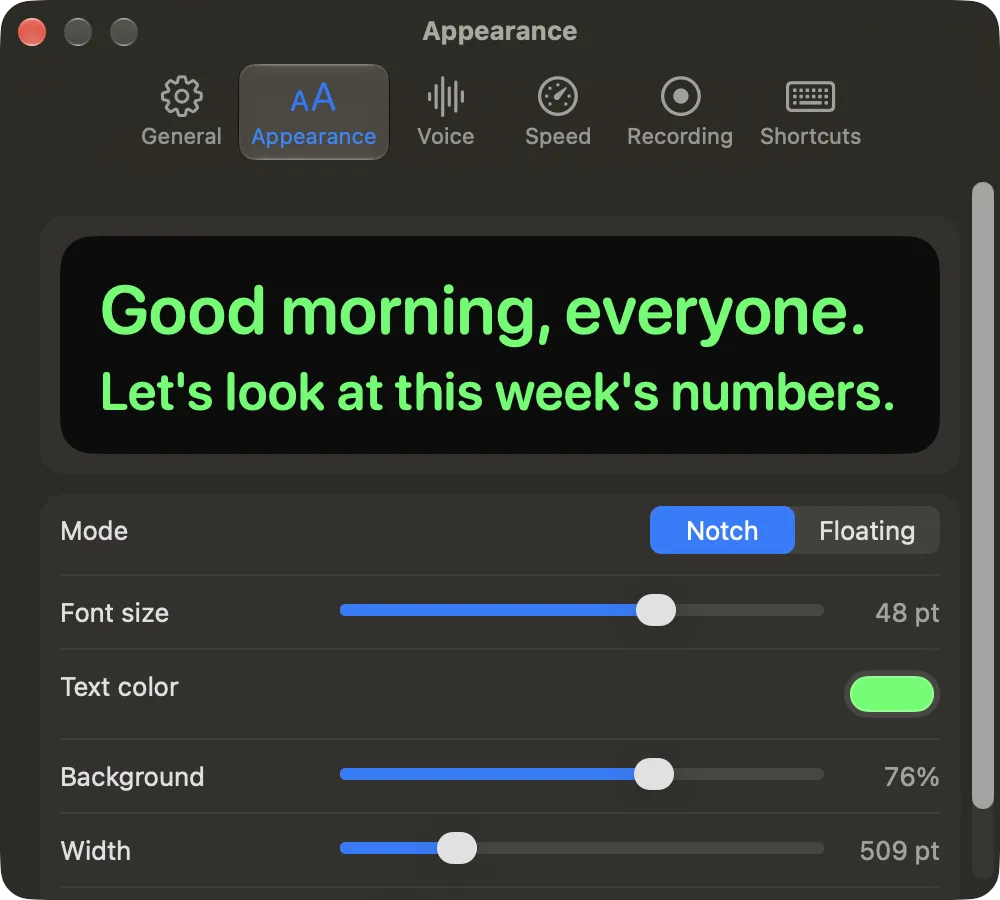
- Hang it from the notch, or float it as a glass window over any display.
- Your size, your type
- Drag to resize. Set width, height, font size and text color.
- Paste anything
- Paste from Docs, Notion or email. Formatting is stripped, the words stay.
- Script library
- Every script saved on your Mac, searchable, with word count and reading time.
- Hover to pause
- Move the pointer over the prompter and it holds. Move away and it carries on.
- Lives in the menu bar
- No Dock icon. Speed, mode and recording are one click away.
Every control has a shortcut
- ⌃⌥ Space
- Play or pause
- ⌃⌥ ↑ / ↓
- Faster or slower
- ⌃⌥ 1–9
- Jump to a cue
- ⌃⌥ B
- Back to where you were
- ⌃⌥ P
- Show or hide the prompter
- ⌃⌥ R
- Start or stop recording
$14.99R$ 49,90, once.
Pay once and it's yours. No subscription, no account, no seats.
$14.99R$ 49,90
once
none
all of yours
7 days, no questions
macOS 14+
1
Email me the link
On your phone? We'll email you the link so you can buy and install it on your Mac.
Secure checkout by Stripe. License key by email right after payment.
Subscription teleprompters: $10–20 a month. Vozlen: $14.99R$ 49,90, once.
Made by Lucas Cegielkowski, an independent developer in Brazil.
Questions
Does it work with Zoom, Meet and Teams?
Yes. The prompter sits on your screen, not inside the call, so it works with any app that uses your camera. When you share your screen, macOS is told to leave it out. Screenshots and Vozlen's own recordings always do; most sharing apps follow the flag, but a few capture tools on recent macOS versions ignore it, so do a quick test share before an important call.
Is my voice recorded or sent anywhere?
No. Vozlen only measures how loud the microphone is to decide when to scroll. There is no speech recognition and no audio leaves your Mac. Recordings are made only when you press record, and saved locally.
What if there's background noise?
Set the sensitivity slider while watching the live level meter until the room's hum stays below the line. Headphones with a mic help. You can also switch voice off and use a steady scroll.
I don't have a notch. Can I use it?
Yes. On an external display or an older Mac it becomes a pill at the top of the screen, or a floating window you can put anywhere, including under a webcam on top of your monitor.
Is it really a one-time payment?
Yes. You pay once and keep the app. No subscription, no account.
Can I use it on more than one Mac?
Yes. Your license works on the Macs you use yourself.
How do I get the app after buying?
Right after payment you get the download link and your license key, on the confirmation page and by email. Install, paste the key, done.
Which Macs are supported?
Any Mac running macOS 14 Sonoma or later. The notch mode shines on MacBooks with a notch; floating mode works everywhere.
I'm on macOS 14 Sonoma. Will it run?
Yes. The prompter works in full. Screen recording needs macOS 15 or later, a free upgrade in System Settings › General › Software Update.
How do refunds work?
If it isn't for you, email us within 7 days of purchase and we'll refund you in full.